
A vocabulary notebook that fills itself as you read
Keep each new word with the sentence and the picture it came from. Tap it in a photo, a screenshot or a web page, and SnapVerbo writes the entry for you: the word, its meaning, where you found it.






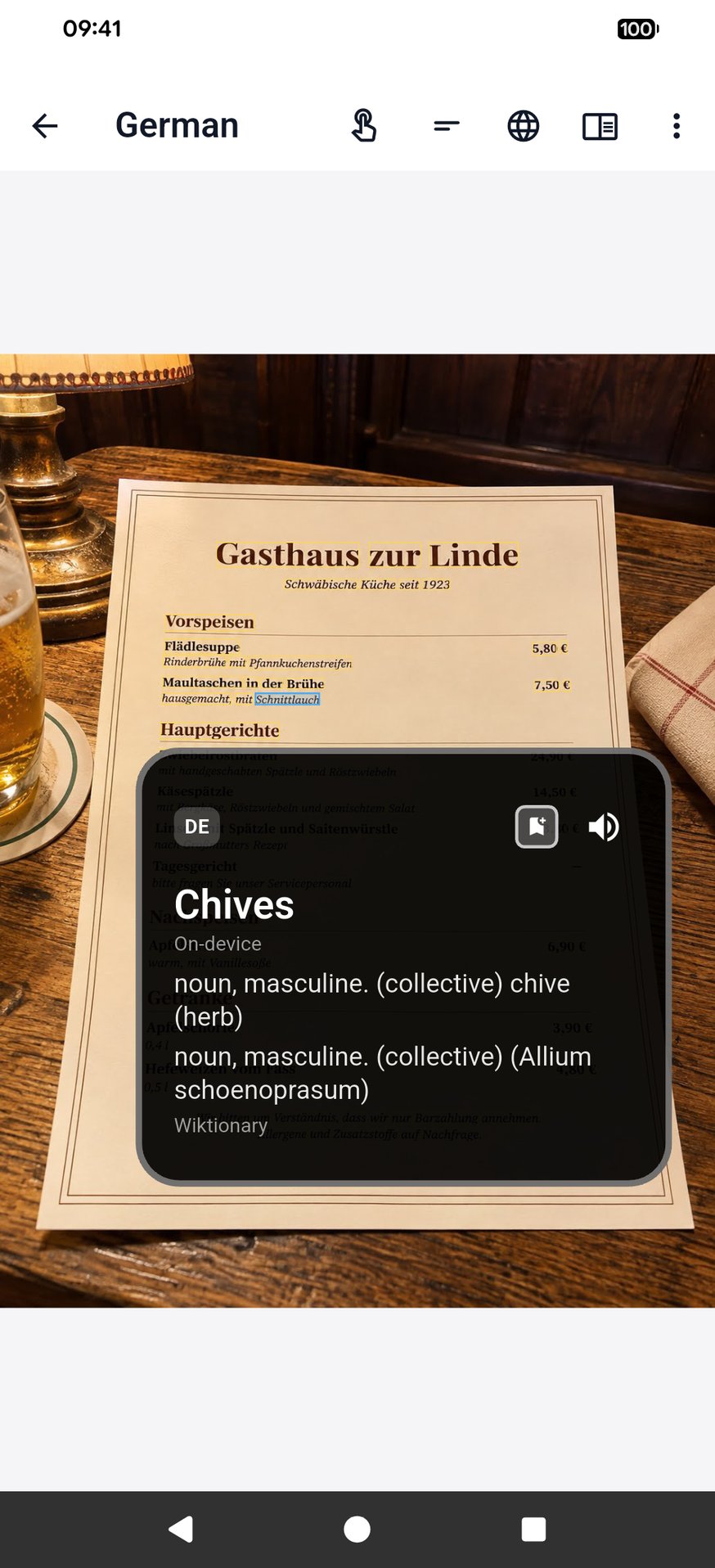
A word on a menu
Why the picture matters
A word written in a notebook is easy to forget. A word you can see on the menu, the sign or the page where you found it is easier to remember, because the moment comes back with it. SnapVerbo saves that picture with every word.
It also shows the meaning without covering the original text, so you keep reading the page you're learning from instead of a translation laid over it.
What each entry keeps
- The word or phrase and its translation or dictionary definition.
- The sentence it was in.
- The picture of the page, screen or sign.
- Your notes and tags, and the wordbooks it belongs to: one per book, trip or class.
Review the words as spaced flashcards in the app, or export them to Anki or Quizlet, or as a PDF of printable flashcards.
Questions
- What is a vocabulary notebook?
- A place to keep the new words you meet, with what they mean and where you found them, so you can come back to them. SnapVerbo keeps it on your phone and fills it in for you: tap a word in a photo, a screenshot or a web page, and it is saved with its meaning, its sentence and the picture.
- Do I have to type the words in?
- No. SnapVerbo reads the text in a photo or screenshot, so you tap the word instead of typing it. You can also type or paste text when you want to.
- Can I keep separate notebooks?
- Yes. Wordbooks group words by where they came from: a book, a trip, a class. A word can belong to more than one, and tags and favorites help you find words later.
- How do I review the words?
- With built-in flashcards, spaced so the words stick, each with the sentence and picture you first met it in. You can also export to Anki or Quizlet, or print a PDF of flashcards.
- Does it work for English?
- Yes. Set English as both the language you read and the language you look words up in, and you get English definitions, and Word Roots shows where a word comes from.
- Is it free?
- Yes, free forever, with no account needed. Signing in is optional; it syncs your words between devices. Short ads help cover the cost of AI translation.