
Sentence mining from what you actually read
Photograph a page of a paperback, or take a screenshot. Tap the word you don't know. SnapVerbo saves it with the sentence it was in and the picture of the page, ready to review as a flashcard or to export to Anki.






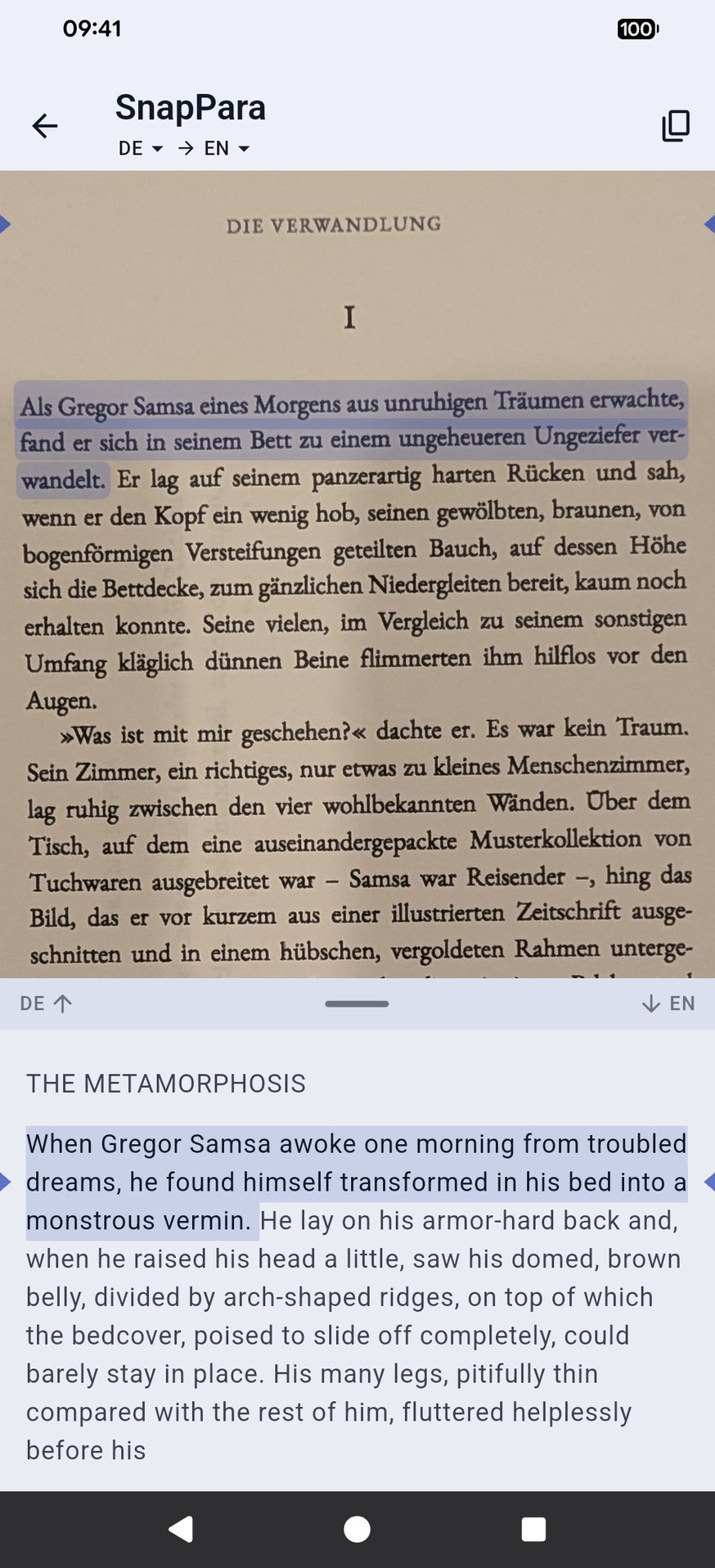
Photograph the page
Mine from paper, not only from a screen
Most sentence-mining setups live on a computer, next to a browser or a video player. The books you read in the language you're learning are often on paper. SnapVerbo puts the same habit on your phone:
- Paperbacks and printed pages — photograph the page; the text is recognized on the phone.
- Screenshots — of an app, a chat, subtitles or a social post.
- Web articles and text — share a link or paste a few paragraphs.
What a mined card keeps
- The word or phrase, with its translation or a dictionary definition.
- The sentence it came from, so you review it the way you met it.
- The photo of the page, which often brings the moment back better than the sentence alone.
- Your own notes and tags, and a wordbook for each book or course.
Review in SnapVerbo's spaced flashcards, or export a wordbook as an Anki deck: each note carries the word, its meaning, the sentence and, if you like, the picture.
When a page is too hard
If a page has more unknown words than you can mine, read it in SnapPara first: the page with its translation beside it, sentence by sentence. Tap a word there to save it with the sentence and its translation.
Used Readlang or LingQ before? See how SnapVerbo compares: Readlang, LingQ.
Questions
- What is sentence mining?
- Collecting the sentences you meet while reading or listening, each with a word you don't know yet, and reviewing them as flashcards. You learn the word in a sentence you have already understood, instead of from a list.
- Can I sentence mine from a paper book?
- Yes. Photograph the page with SnapVerbo, tap the word, and save it. The word is kept with the sentence it was in and the photo of the page. Screenshots and shared or pasted text work the same way.
- Does it work with Anki?
- Yes. Export any wordbook, or all your words, as an Anki deck. Each card carries the word, its translation or definition, the sentence it came from, your notes and tags, and, if you choose, the photo of the page.
- Do I need a computer?
- No. Capturing, looking up, saving and reviewing all happen on your phone. You only need Anki if you prefer to review there; SnapVerbo has its own spaced flashcards.
- Which languages?
- Photos and screenshots work for Latin-alphabet languages, Chinese, Japanese and Korean (horizontal text). Russian and Ukrainian work from shared or pasted text and web pages, and on iPhone from photos too. Lookups go into many target languages.
- Is it free?
- Yes, free forever, with no account needed. Short ads help cover the cost of AI translation.